
Download ACDR – Audio Extraction, CD Ripping, Audio Conversion, MP3, FLAC, WAV, M3U Playlist, CD Protection Bypass, Silence Removal, Music Library Management
Overview
ACDR is a specialized utility designed to extract audio tracks from physical CDs and convert them into digital formats, serving as a bridge between legacy media and modern listening environments. The app addresses the growing need for users to digitize their music collections, particularly those with CDs that feature copy protection or non-standard encoding. By enabling the conversion of audio content into widely supported formats such as MP3, FLAC, and WAV, ACDR helps users preserve their music libraries in a more accessible and portable form. This functionality is especially valuable for collectors, audiophiles, and individuals seeking to reduce physical clutter while maintaining high-quality audio.
Target users include anyone managing a CD-based music collection who desires greater flexibility in playback and storage. Whether for personal use, archival purposes, or integration with digital music platforms, ACDR streamlines the transition from analog to digital. The app also supports the creation of M3U playlists, enhancing organization and access. Although the developer did not provide additional technical details, the app’s core purpose remains clear: to simplify audio extraction and conversion with minimal user friction. Its release in 2014 underscores its longevity as a reliable tool in the utilities category, maintaining relevance in a market where physical media is increasingly being phased out.
Key Features & Functionality
- Audio Extraction and Conversion: ACDR enables users to read audio tracks directly from CDs and convert them into multiple digital formats, including MP3, FLAC, WAV, AIFF, APE, and OGG. This versatility ensures compatibility with a wide range of devices and media players, allowing seamless playback across smartphones, computers, and audio systems.
- CD Protection Bypass: One of the app’s most notable capabilities is its ability to work around copy protection mechanisms embedded in CDs. This feature allows users to extract audio from discs that would otherwise be inaccessible, making it ideal for digitizing older or rare recordings.
- Silence Elimination: The app automatically detects and removes long silences at the beginning of tracks, improving the listening experience by eliminating dead air and ensuring immediate access to the music content.
- Playlist Creation: ACDR supports the generation of M3U playlist files, which can be used to organize converted tracks into custom sets. This feature is particularly useful for creating themed collections or preparing music for portable devices.
- Wide Format Support: With support for both lossy and lossless formats, users can choose the balance between file size and audio fidelity that best suits their needs. This flexibility enhances the app’s utility for both casual listeners and high-fidelity enthusiasts.
For example, a user with a vintage CD collection can use ACDR to extract tracks, bypass protection, remove silence, and generate a playlist for their smartphone. The resulting digital files can then be stored in a centralized library, reducing dependency on physical media.
Interface, UX & Performance
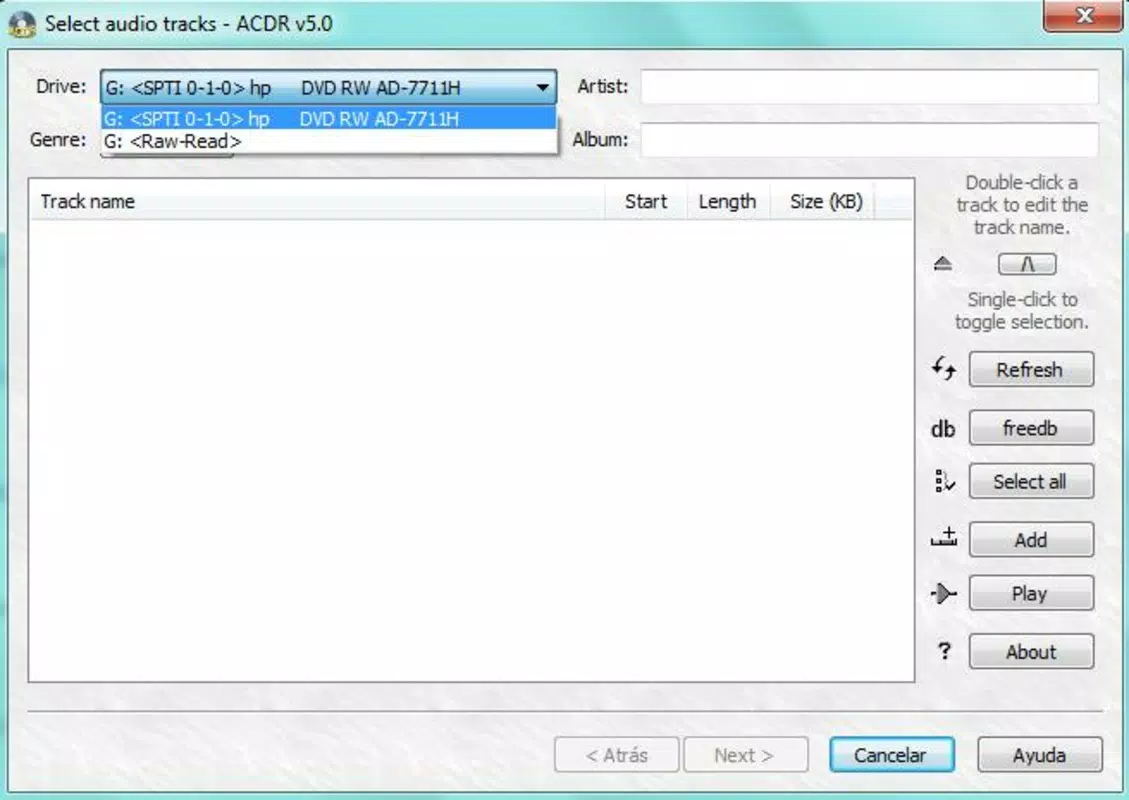
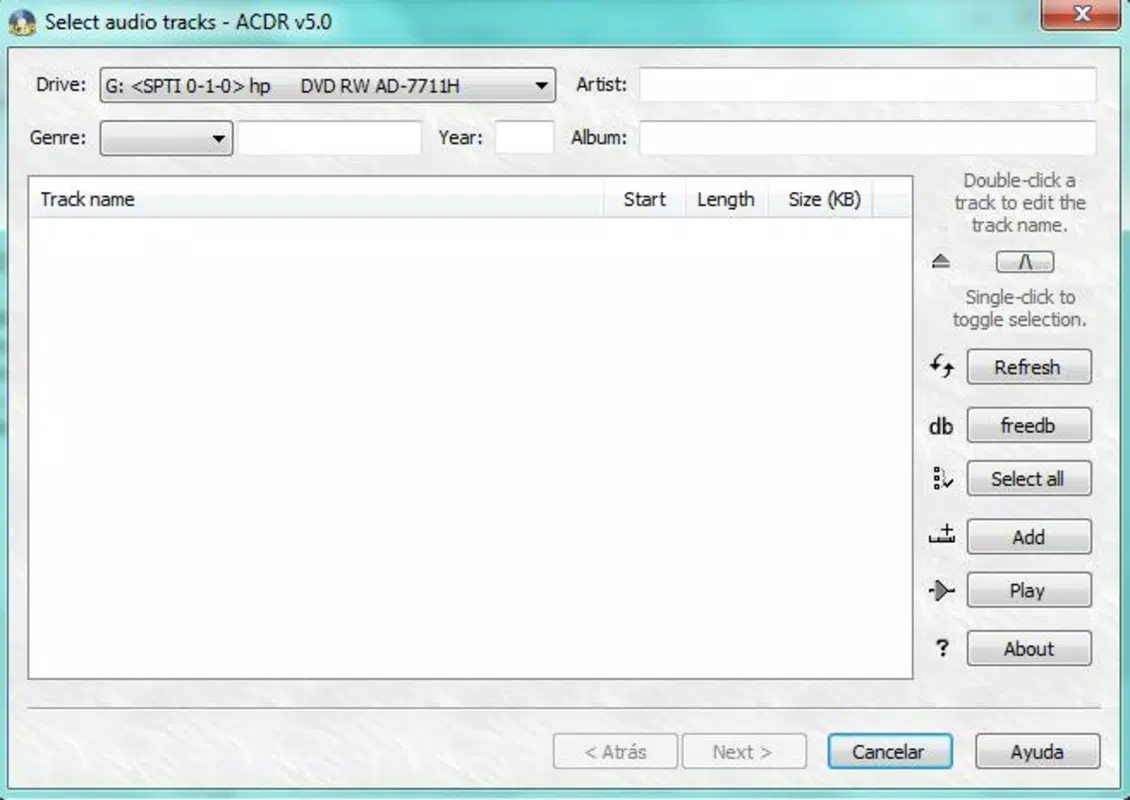
ACDR features a straightforward, no-frills interface designed for efficiency rather than visual flair. The layout prioritizes functionality, with clear navigation between extraction, conversion, and playlist creation workflows. Users are guided through each step with minimal on-screen clutter, making the app accessible even to those with limited technical experience.
Navigation is linear and intuitive, allowing users to insert a CD, select tracks, choose output format, and initiate conversion with few clicks. The app responds promptly to user input, and although the developer did not list formal performance metrics, the lightweight nature of the application—5.5 MB—suggests it runs smoothly on a range of Windows systems. Responsiveness remains consistent across different device categories, including older hardware, due to its minimal resource footprint.
Stability appears reliable based on its long-standing presence since 2014. The app does not require constant updates, indicating a mature and well-tested codebase. However, specific compatibility details with modern Windows versions were not disclosed.
Platform Compatibility & Technical Requirements
ACDR is designed for the Windows platform and is available as a free download. The current version is 1.0, with a file size of 5.5 MB, making it a lightweight application suitable for systems with limited storage. The developer did not specify minimum OS requirements, nor did they provide information about compatibility with specific Windows versions such as Windows 10 or 11.
Given its release date of 2014, users should exercise caution when installing on newer systems, as older software may encounter compatibility issues with updated drivers or security policies. The absence of detailed technical specifications means that installation on modern systems may require manual troubleshooting or compatibility mode settings. No additional dependencies or third-party tools were mentioned in the provided information.
Pros and Cons
- Free to download and use with no hidden costs
- Supports a wide range of audio formats including lossless FLAC and WAV
- Can bypass CD copy protections, enabling access to restricted content
- Includes silence removal for cleaner audio output
- Generates M3U playlists for easy music organization
- Lightweight size (5.5 MB) ensures fast installation and minimal system impact
- No official support for macOS or Linux platforms
- Compatibility with modern Windows versions not confirmed
- Interface lacks modern design elements or customization options
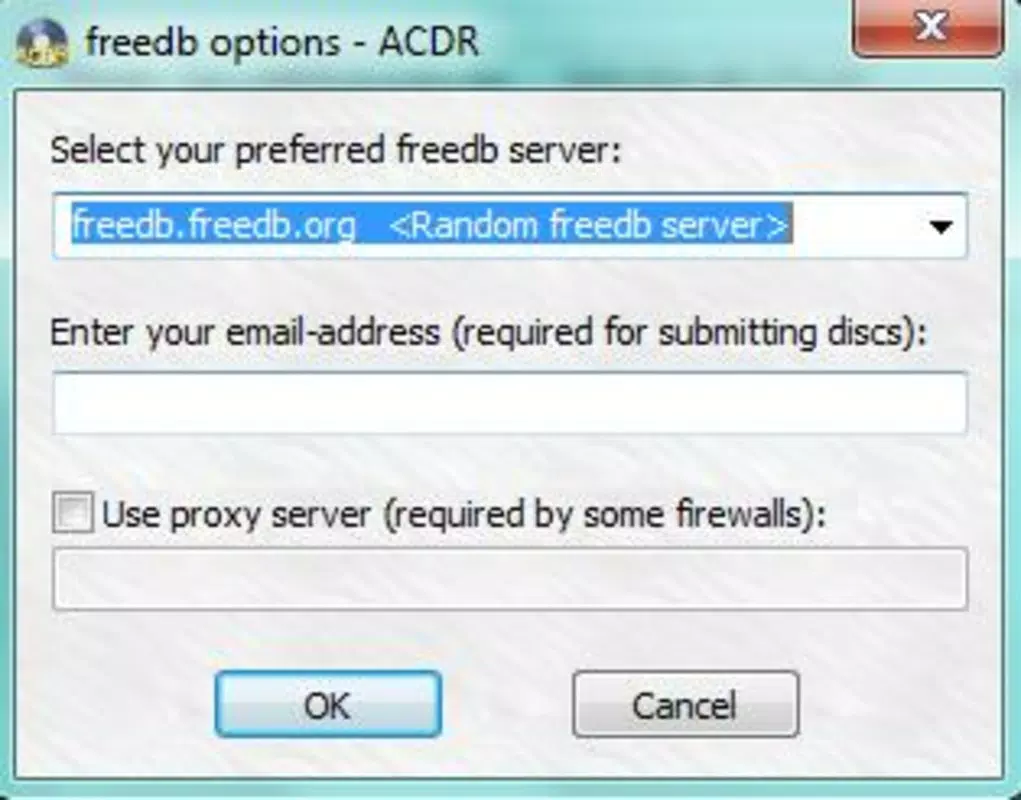
- No cloud integration or automatic metadata fetching
- Development appears inactive since 2014, raising concerns about long-term maintenance
FAQ
Is ACDR safe to download and install?
Yes, ACDR is free and available without known malware. However, users should download it from trusted sources to avoid modified or bundled versions.
Can ACDR work on Windows 11?
While the app was released in 2014, it may run on Windows 11 using compatibility mode. Official support was not confirmed by the developer.
Does ACDR support Mac or Linux?
ACDR is designed exclusively for Windows. There is no official version available for macOS or Linux systems.
How do I create a playlist with ACDR?
After converting audio tracks, the app allows users to generate M3U playlist files that can be opened in media players for organized playback.
Is ACDR regularly updated?
ACDR has not seen updates since its release in 2014. Users should expect no new features or security patches.
Final Thoughts
ACDR remains a functional tool for users seeking to digitize their CD collections with minimal effort. Its ability to bypass copy protection, eliminate silence, and support multiple audio formats makes it a valuable asset for music archivists and collectors. While its interface and development status reflect its age, the app’s core functionality is still relevant in today’s digital landscape. For those on Windows who value audio conversion without cost, ACDR delivers consistent results. However, users should be aware of potential compatibility challenges on newer systems and the lack of ongoing support.
Download ACDR now


